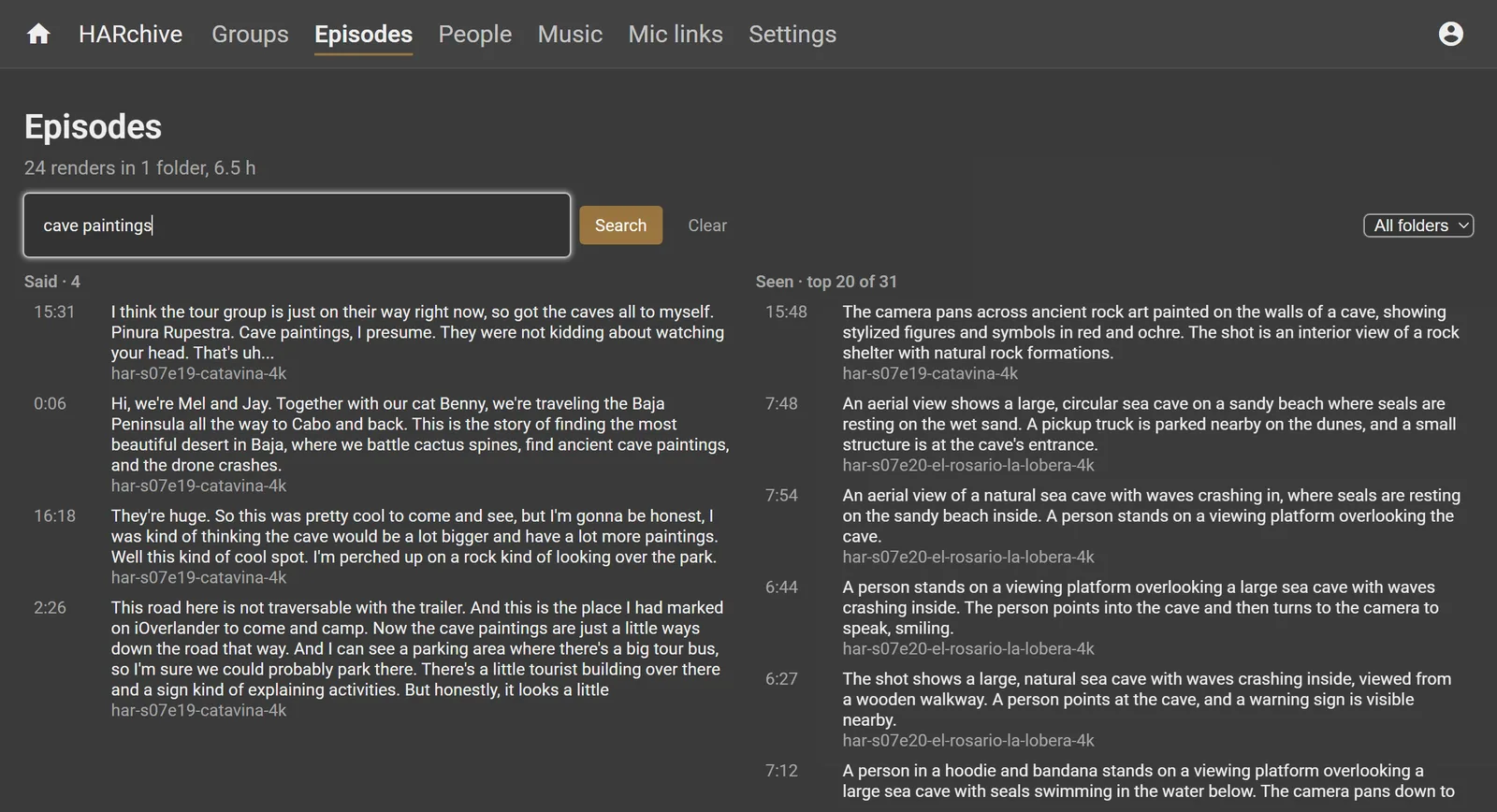
Could your recordings be searched like this?
What it takes, and where it falls short, is on its own page.
Want to know whether your own archive is a fit? That is what the AI Audit is for.

Hours of recordings that nobody can find anything in, too big and too private to upload. The archive behind Home A Roam, a travel video channel, is a large case of it: 46,265 files and 440 hours of raw video, 12.7 TB across two USB drives, plus 393 finished episodes and 33 hours of separate audio.
The footage sits in dated folders whose names are not trips, and some misspell the place. Camera clocks are wrong, or set to another time zone. Finding one moment, like the swim with a whale shark, meant scrubbing through clips by hand.
Plenty of businesses sit on the same kind of pile:
HARchive is a private search engine for a video and audio library, running on one laptop. It finds a moment by what was said, what is on screen, who is in it, where it was shot, and the music under it.
Footage, frames and audio never leave the machine. Every model that looks or listens runs on the laptop. Only text, such as captions, transcript excerpts and place names, goes to Gemini, to name places and write summaries. Search works with the drives unplugged; only playing and exporting footage needs them.
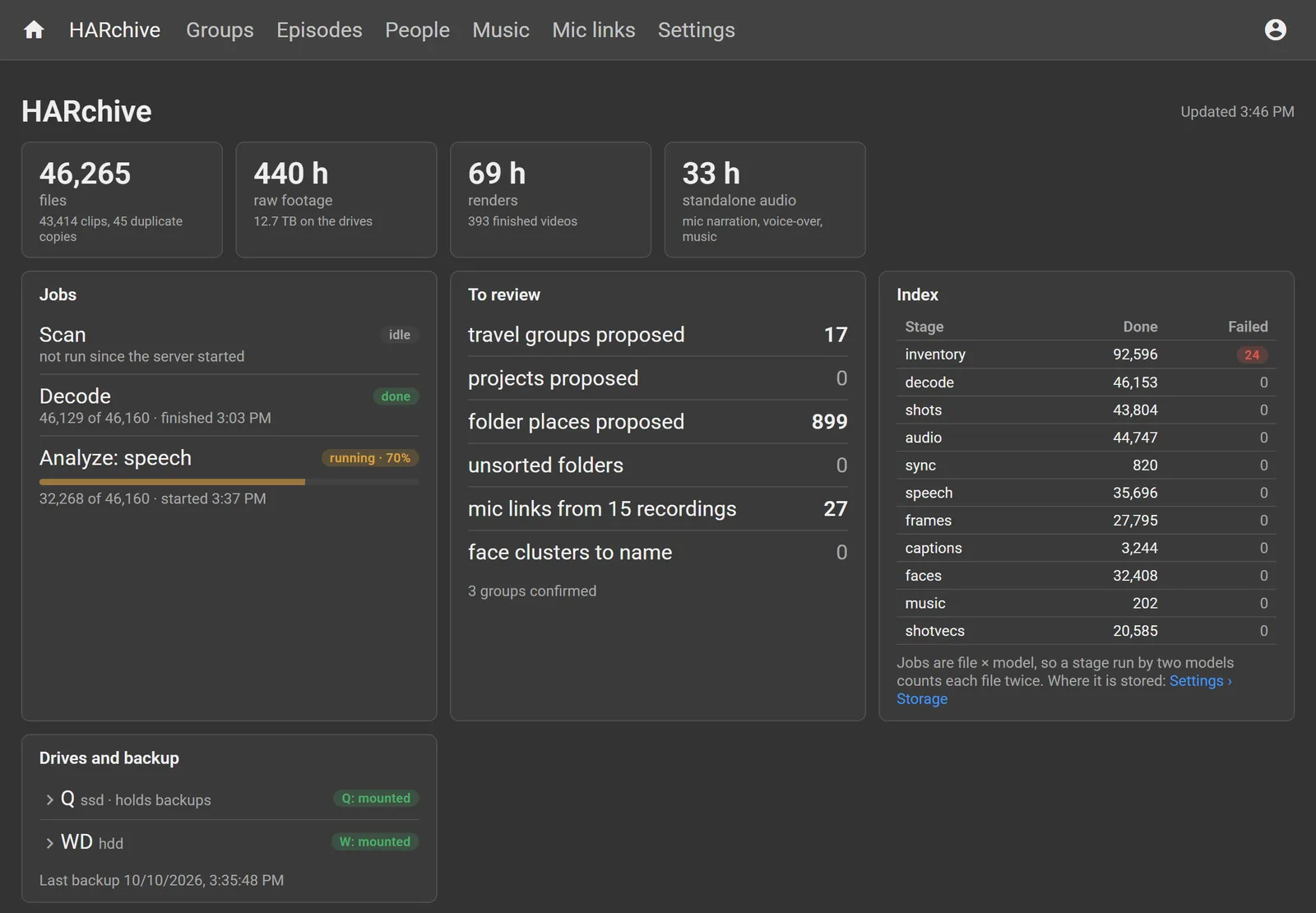
Coding agents use it as a tool. Through its command line or its MCP server, an agent can search, read transcripts, look at frames, pick clips and hand back a timeline that opens in DaVinci Resolve. A person still makes the calls that need judgment: confirming trips, naming faces and confirming places. HARchive indexes video and audio; photos are out of scope.
The archive is searchable by what was said and what was seen. On a test set from 14 trips (29 hours), the default search put the right moment first for 79% of the visual queries and 97% of the spoken ones. The spoken queries were written with the answers in view, so 97% is a ceiling rather than a typical figure.
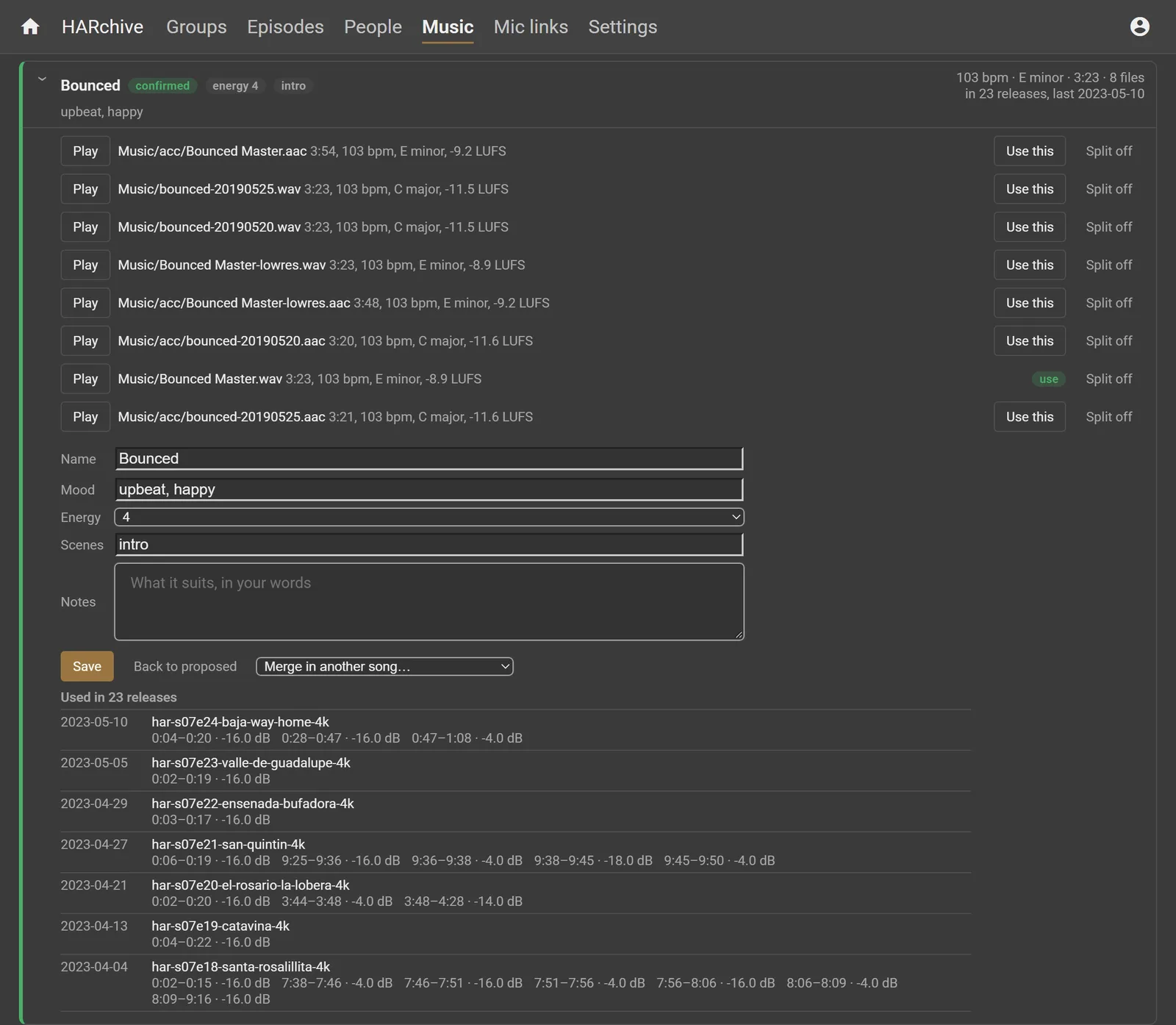
Reading the past edits back means every clip knows which episodes used it, and every song knows where it played and how loud.
The honest limits:
HARchive is a side project, built in evenings and weekends. It was written entirely by coding agents, mostly Claude Code run directly, with me directing: 255 commits in its first six days.
That is a second way of working with agents. WASBuilder runs them through a board with a fixed lifecycle. Here they were directed by hand, one session at a time, against a written plan.
It runs on a laptop the owner already had. The only cloud call is the text-only one to Gemini.
The rest of this page is the technical tour. Unlike the demo data on the WASBuilder page, every screen here is the real archive, shown read-only and kept to the 24 published Baja episodes of season 7 and the footage they used.
Each file goes through ten stages, from inventory and decoding, through speech, frames, faces and captions, to place and time. Each stage can stop and pick up again, and every output is tagged with the model that made it. The index is a separate database from the decisions a person makes, so swapping a model re-runs one stage from the cache without reading the drives again, and nothing a person decided is lost.
Every model was chosen on a licence that allows commercial use, and two well-known ones were turned down for that reason. That check matters to any business buying AI.
Gemini proposes trips from the folder names, and a person confirms them. Places are read from what was said that day, and camera clocks are checked against each other where two cameras heard the same talk.

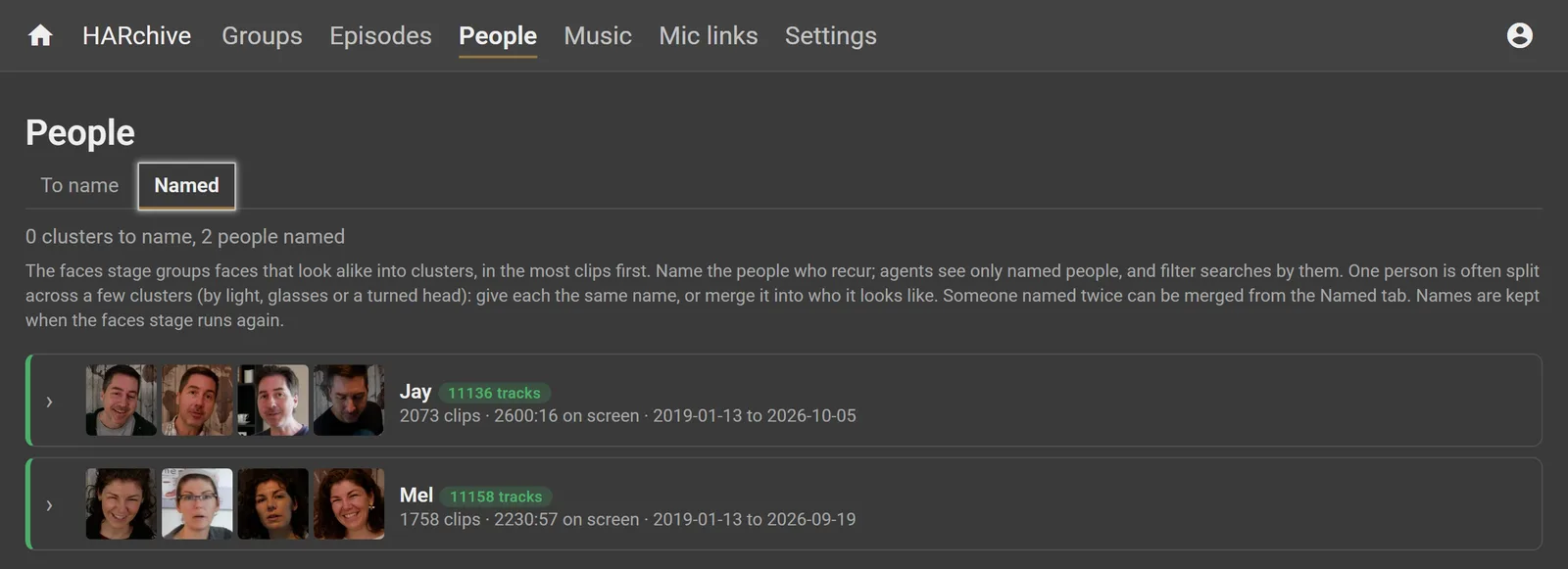
Faces are grouped on the laptop, and a person names the ones who recur. Agents see only named people, and searches can be filtered by them.
Each song's versions are grouped, with tempo, key and loudness, and the past edits say every episode it played in and at what level.
Agents are the main users. The command line and the MCP server answer in small, paged JSON, so an agent can search by speech, by picture or both, read a day's digest, see which episodes used a clip, and save a select. A select exports as a timeline that DaVinci Resolve opens.
The laptop has an RTX 5080 with 16 GB and 32 GB of memory. Decoding runs at 11 to 18 times real time from the hard drive and 46 times from the SSD. Shot embeddings run at 5.5 shots a second, and captions, the slowest stage, at 10.9 times real time.
What it takes, and where it falls short, is on its own page.
Want to know whether your own archive is a fit? That is what the AI Audit is for.
