
Can AI help us turn our expertise into course and training material?
Yes. AI can draft the scripts, find stock footage and rank it with a vision model, voice the narration, assemble the video and publish it, while a person who knows the subject edits alongside it at every step. Your expertise stays the source; AI takes on the slow production work around it.
Evidence
EduGen produces educational videos with generative AI. Each channel has its own defaults: how long the script is, which voice model narrates it, the video's orientation and how chapter titles are overlaid.
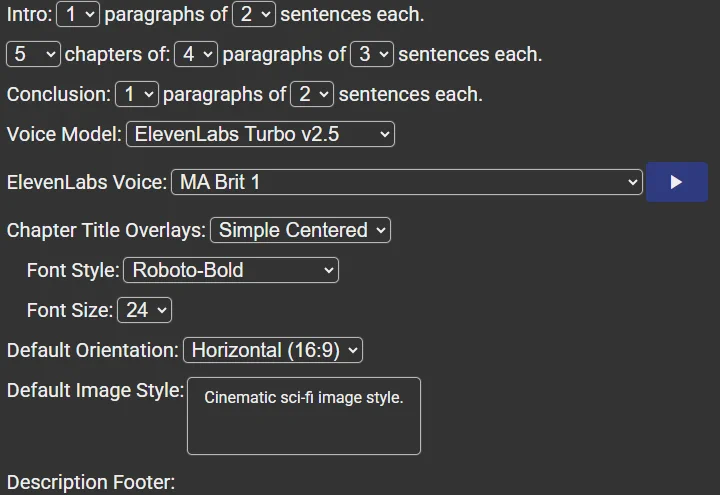
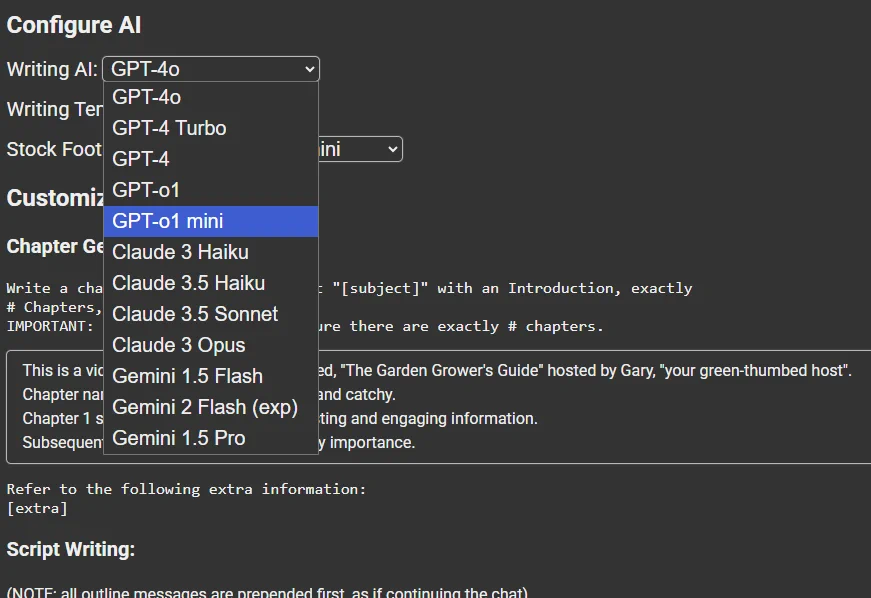
The script is drafted by a language model of your choice, from GPT, Claude or Gemini, with an adjustable temperature and writing prompts you can customize to match your subject and your voice.
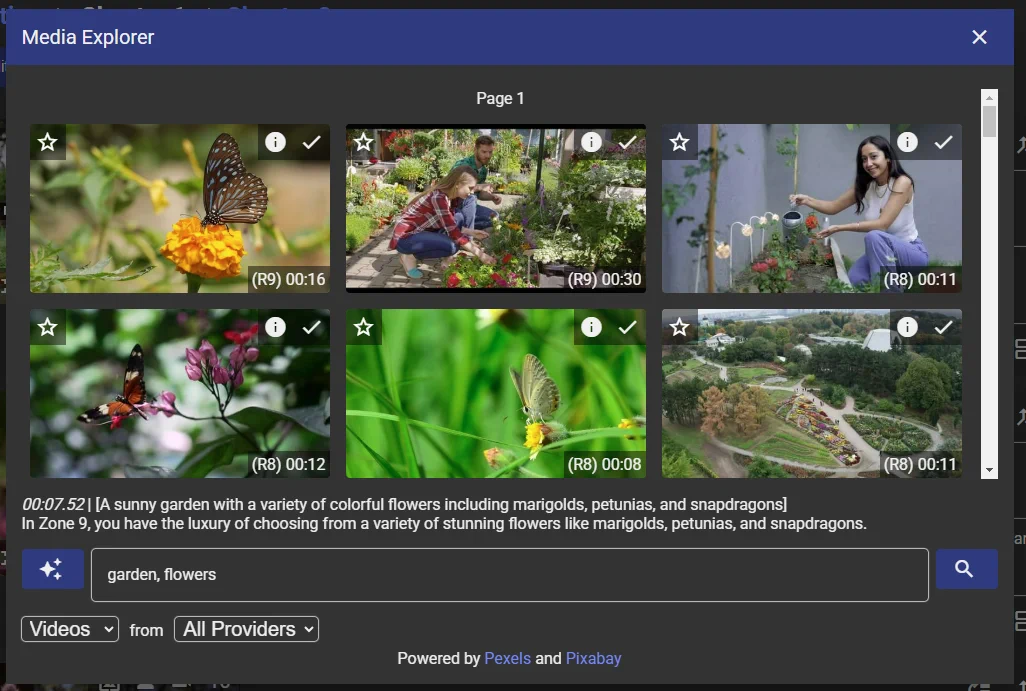
For each scene, a language model suggests search keywords, EduGen searches free stock video libraries like Pexels and Pixabay, and a vision model ranks how well each clip fits the scene. It is not perfect, but it does a surprisingly good job most of the time, and the person editing picks the clip.
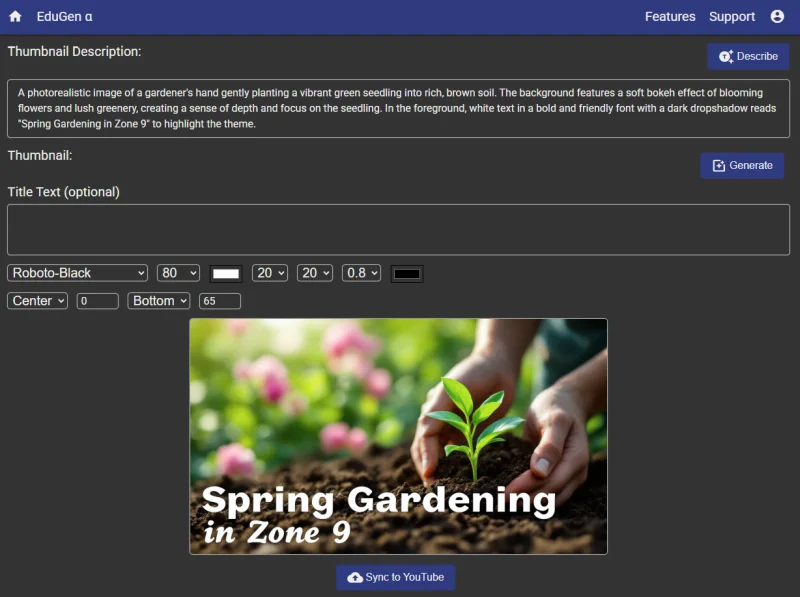
Once the video is assembled, EduGen suggests a description for a thumbnail, a generative image model creates it, and the thumbnail syncs directly to YouTube.
EduGen produces videos in a fraction of the time they would take to make by hand.
Read the EduGen case study.
What it takes
A person who knows the subject, editing alongside the AI the whole way: they shape the script, choose the footage and check the voice before anything is published. The AI drafts and assembles; it does not decide what is true or what your learners need.
Your expertise in a form the AI can draw on: existing courses, slides, manuals, recorded talks or notes, and an outline of what each lesson should teach.
Decisions on format and voice: video length, narration voice, the look of titles and thumbnails, and where the material is published.
A focused pilot on one course or topic comes first. How big it is depends on your material and where it needs to go, and that is what the AI Audit sizes.
The honest limits: AI drafts can sound confident and still be wrong, and stock footage will not always match a specialized subject. Review by someone who knows the material is part of the build, not an optional extra.
Next step
Show me the expertise you want to teach and the material you already have, and I will tell you plainly what AI can produce from it, where a person still needs to edit, and what a first version would take.